
 Customer Support

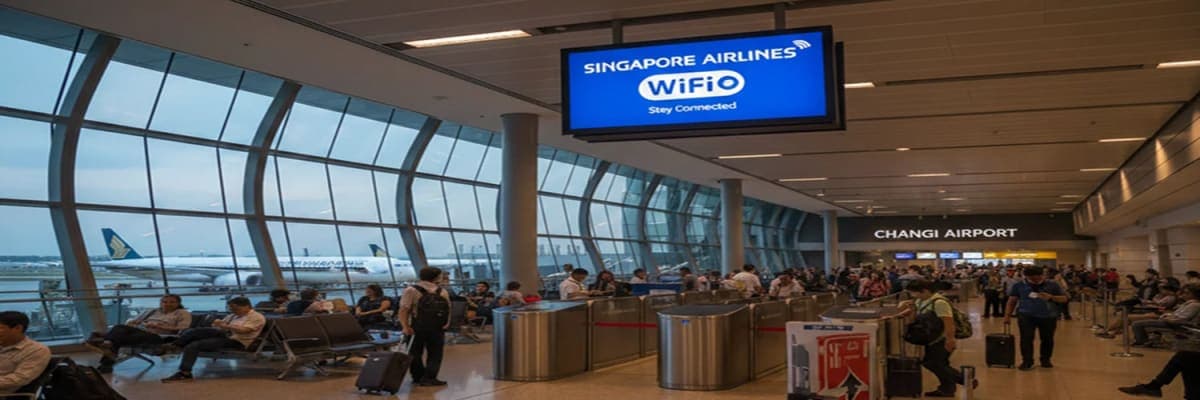
Staying connected during flights matters more than ever today. Many travelers want to send messages, check emails, or browse the internet while flying. This is why Singapore Airlines' Wi-Fi is a common question among passengers.
If you are flying long hours, knowing how WiFi works onboard helps you plan better. This guide explains wifi on Singapore Airlines in very simple words. You will learn when it works, what you can do with it, and what to expect during your flight.
Does Singapore Airlines Have WiFi
Yes, Singapore Airlines offers in-flight WiFi on most of its aircraft. Passengers can use the Wi-Fi on Singapore Airlines once the aircraft reaches cruising altitude. This usually happens around 15 minutes after takeoff.
Most Singapore Airlines planes support WiFi, except the Boeing 737-800NG aircraft. If the airline changes your aircraft at the last moment, WiFi may not be available. In such cases, the cabin crew usually informs passengers before or during the flight.
This service allows passengers to stay connected during long journeys, especially on international routes.
When You Can Start Using In-Flight WiFi
In flight WiFi does not work during takeoff or landing. You can only use it once the aircraft climbs above 10,000 feet.
Here is what you should know
- WiFi becomes active at cruising altitude
- This is about 15 minutes after takeoff
- The service stops around 15 minutes before landing
- You must connect to the KrisWorld network
Once connected, you can follow the steps shown on the WiFi card in the seat pocket to get online.
Why WiFi May Not Work on Some Flights
Sometimes Singapore Airlines' in-flight wifi may not work even if the aircraft supports it. This can happen for several reasons.
Common reasons include
- Weather conditions affecting satellite signals
- The aircraft did not reach cruising altitude
- Flying over regions that do not allow in flight WiFi
- Technical issues with onboard systems
- Aircraft undergoing equipment upgrades
If WiFi is not available, the airline usually announces the flight.
Read More: Singapore Airlines Manage Booking for Changing Seats and Support
WiFi Speed and Cabin Experience
Many passengers wonder if WiFi works better in premium cabins. On Singapore Airlines, WiFi speed remains the same across all cabins. This includes Suites, First Class, Business Class, Premium Economy, and Economy.
The actual WiFi experience depends on factors like weather, satellite coverage, and how many passengers use the service at the same time. Light activities like browsing or messaging usually work better than heavy usage.
What You Can and Cannot Do Online
In-flight WiFi on Singapore Airlines supports basic internet use but has clear limits.
You can
- Send and receive emails
- Browse websites
- Use messaging apps for text
You cannot
- Make voice or video calls
- Stream Netflix or YouTube
- Play online games
- Download large files
Knowing these limits helps you manage your expectations during the flight.
If in-flight connectivity matters to you, checking flight options early through Travelpodium helps you plan better and choose routes that fit your needs.
How to Use WiFi Smartly During the Flight
Smartly using in-flight WiFi helps improve your experience. Since the connection depends on satellites, heavy usage can slow it down.
Here are simple tips to follow
- Turn on low data or low power mode
- Turn off app updates and cloud backups
- Avoid sending large files
- Do not try streaming or gaming
- Use secure websites only
These steps help the connection stay stable during the flight and reduce interruptions.
Devices and WiFi Plan Rules
Device usage depends on your cabin class and membership status. Singapore Airlines sets clear rules to manage usage fairly.
Important points to know
- Suites First Class and Business Class allow up to three devices
- Economy and Premium Economy allow one device at a time
- You can switch devices by transferring the session
- Paid WiFi plans do not support multiple devices
Time-based plans cannot be paused once they start.
Mobile Network Use During the Flight
Singapore Airlines also offers mobile network service on some flights. This service works differently from WiFi.
Mobile service works only when the switch-off phone sign is off. Your phone must support GSM, and roaming must be enabled. Your mobile provider must also have a roaming agreement with the airline service provider. Voice calls are not allowed even when the mobile service is active.
Planning Flights Where WiFi Matters
Singapore Airlines offers in-flight connectivity that supports basic online needs. While WiFi has limits, it works well for browsing and messaging when used correctly. Knowing when it works and what it supports helps you feel prepared.
If connectivity matters to you, book your flight and travel with Travelpodium for better planning and peace of mind. Make informed choices and travel with Travelpodium, knowing what to expect on board.
Quick Answers to Common Questions
WiFi is available on most aircraft except Boeing 737 800NG.
Some passengers receive complimentary access based on cabin and membership.
It starts after the aircraft reaches cruising altitude.
No streaming services are supported.
No voice or video calls are allowed.
Yes, but passengers should use secure websites.
No time-based plans can’t be paused.
It depends on cabin class and membership level.



















Comments